GameFactsGuideHome
Games
Guides
News
Free games
Releases
Hardware
GameFactsGuide

GameFactsGuide is a free site for game guides, news, reviews and release dates across PC, PlayStation, Xbox and Nintendo.

Games

All gamesR.E.P.O.Dead by DaylightMedieval Dynasty

Guides

Beginner guidesMaps and locationsMonsters and enemiesCharacters

Hardware

PlayStationXboxNintendoPC and handhelds

Stay updated

New guides and releases, straight to your inbox.

© 2026 GameFactsGuide. All rights reserved.

Privacy policyTermsAboutContact

Affiliate disclosure: GameFactsGuide takes part in affiliate programmes. When you buy through some of the store links on this site, we may earn a commission at no extra cost to you.

GameFactsGuide

GameFactsGuide is a free site for game guides, news, reviews and release dates across PC, PlayStation, Xbox and Nintendo.

Stay updated

New guides and releases, straight to your inbox.

Games
All gamesR.E.P.O.Dead by DaylightMedieval Dynasty
Guides
Beginner guidesMaps and locationsMonsters and enemiesCharacters
Hardware
PlayStationXboxNintendoPC and handhelds
More
Privacy policyTermsAboutContact

Affiliate disclosure: GameFactsGuide takes part in affiliate programmes. When you buy through some of the store links on this site, we may earn a commission at no extra cost to you.

© 2026 GameFactsGuide. All rights reserved.
R.E.P.O.
R.E.P.O.
Early accessHorror
Overview
Game page
Guides
Beginner Guide
R.E.P.O. | Valuables & Extraction Guide
R.E.P.O. | Monsters & Stealth Guide
R.E.P.O. | Shop & Upgrades Guide
R.E.P.O. | Advanced Tips
R.E.P.O. | Game Over & the Disposal Arena
Maps Guide
Monster Guide
News
All news
Latest news
Patch notes

R.E.P.O. | Shop & Upgrades Guide

Shop & UpgradesRecommended purchase priorityHidden shop secretItems respawn in your truckQuick tipsThe Service StationService Station tipsNext: Advanced Tips

What to buy in the shop, which upgrades to prioritise, and hidden secrets.

Shop & Upgrades

After every successful level you return to the shop to spend your earnings on items, health packs, and upgrades. Knowing what to buy and in what order makes a huge difference, especially in the first few levels.

Spend your earnings wisely between runs
© Semiwork Studios. Images from official press kit.
Note
Prices increase with purchases
Every time you buy an item the price of future purchases increases. Buy carefully, each additional item costs more than the last.

Recommended purchase priority

Follow this order when shopping, especially in early runs.

1
Health upgrades first
More max health means you survive more hits. The safest investment for new players.
2
Stamina upgrades second
More stamina means longer sprints when escaping monsters. Essential on higher-level runs.
3
Strength upgrades third
With 3 strength upgrades you can reliably carry heavy objects solo. With more you can physically interact with some enemies.
4
Utility items as needed
Flashlights, drones, maps, and health packs are situational. Buy them when underprepared for the next level.

Hidden shop secret

There is a secret area in the shop accessible through a ceiling tile near the extraction point. You need teammates to lift you up, but it always contains additional grenades.

Tip
Ceiling tile
Look for the loose ceiling tile near the extraction point in the shop. Have teammates boost you up. The grenades are always available and useful on harder runs.

Items respawn in your truck

If you lose a purchased item, dropped into a hole or destroyed, it will respawn in your truck as long as you successfully progress to the next level.

Tip
Share health before the truck
If you have more than 75 HP at the end of a level, give 10 HP to teammates by interacting with the green bar on their neck. The truck heals to 25 HP, excess HP is wasted otherwise.

Quick tips

Buy in bulk early. Prices increase per purchase, so getting multiples costs more each time.
Check truck storage before buying, you may have leftover gear from previous runs.
Strength upgrades let you carry heavier items solo and eventually interact physically with monsters.

The Service Station

After successfully completing a mission, you and your team are taken to the Service Station, the shop between runs. There are no monsters here, and any damage you take is completely undone when you leave. Dead teammates can be revived using the extraction point in the station. The shop always tries to spawn 10 upgrades alongside weapons, health packs, and utility items.
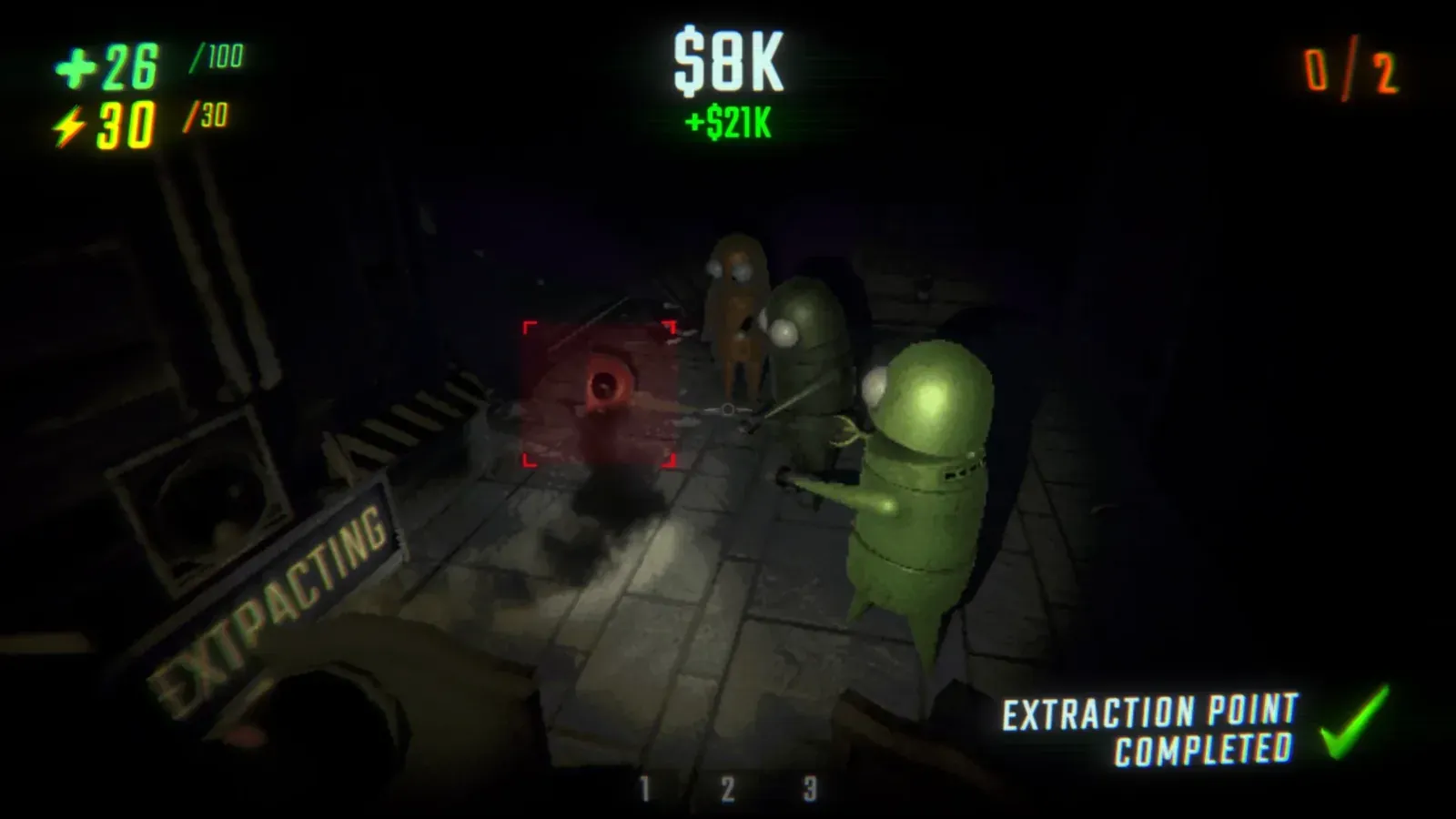
The Service Station, your safe haven between runs
© Semiwork Studios. Images from official press kit.
Note
Free to test everything
You have infinite ammo in the Service Station. Test any weapon or item freely, none of the damage you deal or receive here carries over to the next level.

Service Station tips

There is a Shopkeeper that activates when you press the orange button with an eye on it. It watches for misbehaviour, if you explode items, it grabs you. On the third offence it fires you out of a cannon.
There is a secret room accessible through a cracked wall in the station. It contains a Duct Taped Grenade, Human Grenade, and a Duck Bucket. Use explosives to break the cracked wall, or look for other abnormalities in the station layout.
In private and singleplayer lobbies you can reset the shop by leaving and rejoining. Buy what you need first, then rejoin to reset the available items.
A speedrun tactic in singleplayer: buy what you need and then self-destruct to skip going to the truck entirely.

Buy R.E.P.O.

Next: Advanced Tips

Ready to go deeper? These advanced tips will help you optimise your runs.

Recommended next
Advanced Tips, optimise your runs

Comments

Comments are coming soon.